Draftline
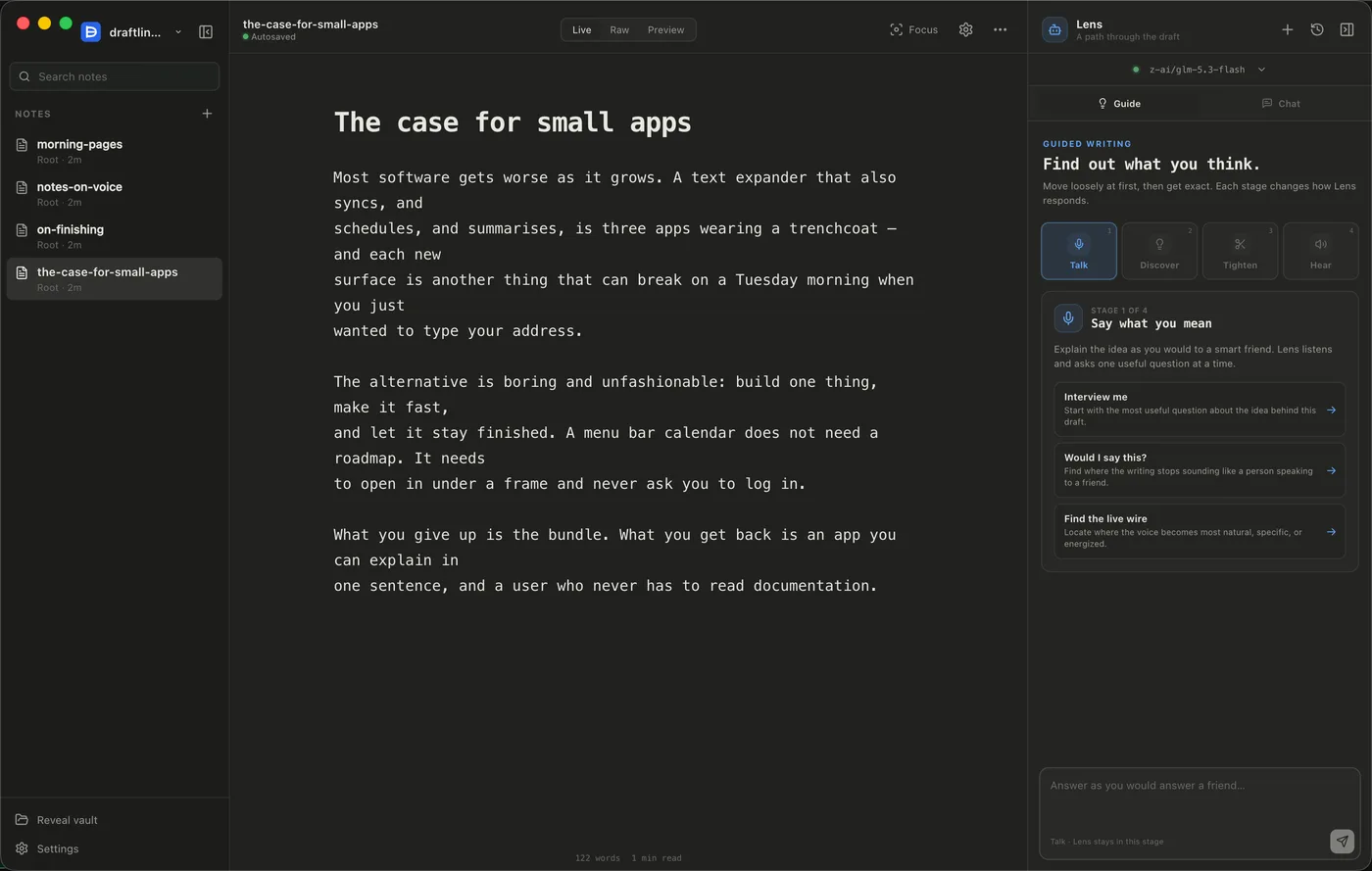
A writing app for Mac built around one rule: the AI in it can't write for you. Lens, its editor, reads your draft, asks questions, points out what isn't working and suggests directions. The words stay yours.
Part of the Mac suite · in private beta — ask for a build
For Mac.
What it does
- Your folder, your files. Choose any folder on your Mac and write. Every note stays an ordinary Markdown file that any other app can open.
- A quiet editor. Switch between writing, source and preview views (
⌘1,⌘2,⌘3), go full focus mode (⌘⇧F), and never think about saving. Search, rename and export your notes. - An editor that can't rewrite you. Lens can read your draft, but it has no way to change it. It can't quietly rewrite a paragraph behind your back.
- Quick feedback or a deep review. Ask a quick question in chat, or ask for a thorough review that looks at the draft from several angles and challenges it before summing up. You can edit the kinds of review it offers.
- A guided flow. Talk, Discover, Tighten, Hear: four steps from a vague idea to a draft that holds up when read aloud.
- Learns how you write. Draftline keeps notes on your preferences and projects in two plain files inside your folder. You can read, edit, pause or clear them at any time.
- Choose your AI. Connect your own OpenRouter account and use whichever model you like.
Privacy
Your writing is a folder on your Mac, in a format any other editor can open. Your API key is stored encrypted. Nothing is uploaded except the text you choose to send to the AI.