Timeboxing
· 3 min read
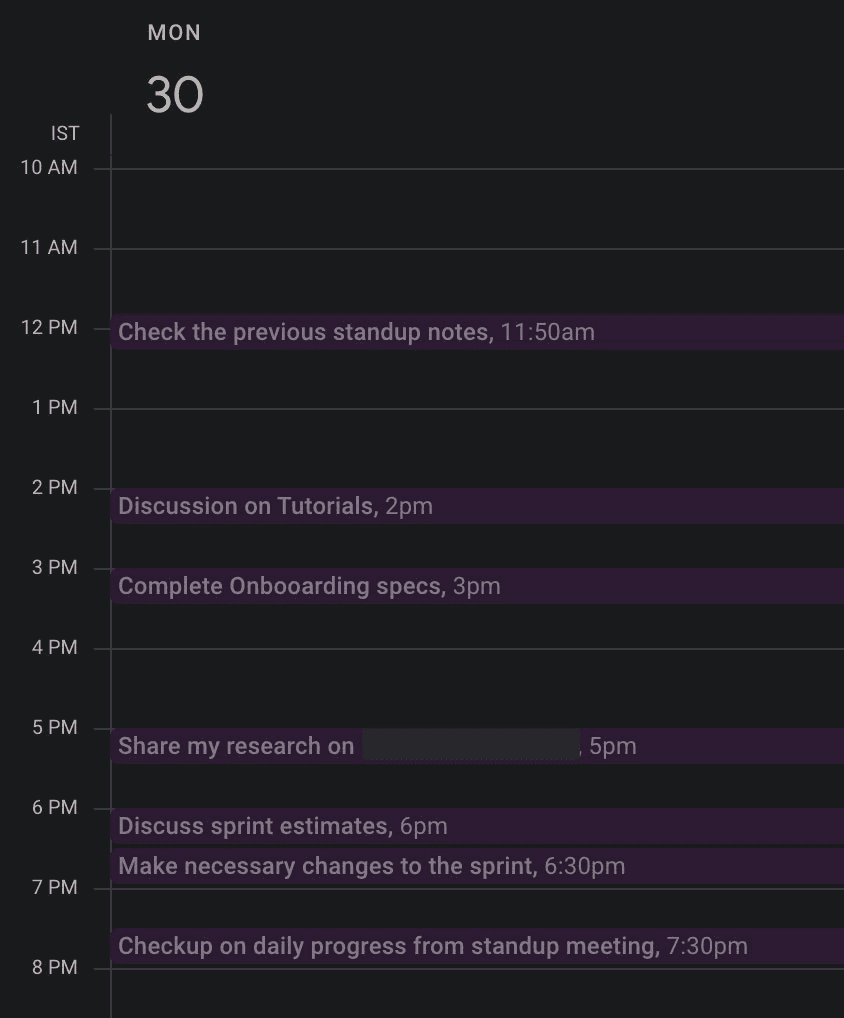
I have tried a bunch of productivity techniques -- Pomodoro, GTD, Eat the Frog -- but nothing works as well as Timeboxing (also known as Timeblocking).
Why Timeboxing Works
Timeboxing helps you realistically plan your day, as opposed to having 100 things in one day's to-do list. When you assign a specific time slot to each task, you are forced to confront the reality of how many hours you actually have.
Many tasks would just take 5 minutes, but we end up procrastinating on them for hours or even days. When you timebox that task into a specific 30-minute slot on your calendar, it gets done.
Parkinson's Law
"Work expands to fill the time available for its completion."
This is Parkinson's Law, and it is the principle that makes timeboxing so effective. If you give yourself 3 hours to write an email, it will take 3 hours. If you give yourself 15 minutes, you will find a way to get it done in 15 minutes.
The advice is simple: do not allocate a long time slot for one task. Elon Musk plans his day in 5-minute increments, but you do not have to be that extreme. 30 minutes should work as a good default interval.
Separating Planning from Doing
The best part about timeboxing is that it separates the doing from the planning. This is similar to Paul Graham's concept of Maker's Schedule, Manager's Schedule.
When you plan your day in the morning (or the night before), you make all your decisions about what to work on upfront. Then, when it is time to execute, you do not waste energy deciding what to do next -- you just look at your calendar and start.
Learning by Doing
The best part about timeboxing is that you will learn while doing it. For example, if you timebox 2 hours when you should have done 3, you will realize it and adapt next time. Over time, you get better at estimating how long tasks actually take.
This feedback loop is invaluable. Most people are terrible at estimating time, and timeboxing gives you data to get better at it.
How to Get Started
-
Set up Google Calendar sync. Todoist allows for 2-way sync and TickTick offers 1-way sync. This means your tasks show up as blocks on your calendar.
-
Configure 30 minutes as the default interval. Add the start time as the due time of your tasks.
-
Plan your day in the morning (or the night before). Assign every task a time slot.
-
Execute. When the time comes, do the task. When the timebox is over, move on.
Tips
- Start with your most important task in the morning when your energy is highest.
- Leave buffer time between blocks for unexpected interruptions and context switching.
- Review at the end of the day. Did you finish everything? Did tasks take longer than expected? Use this data to plan better tomorrow.
- Do not be rigid. Timeboxing is a guide, not a prison. If something urgent comes up, rearrange your blocks.
- Batch similar tasks together to reduce context switching.
The Bottom Line
Timeboxing is not about being perfectly productive every minute of the day. It is about being intentional with your time and learning how you actually spend it. Once you start, you will wonder why you ever relied on a plain to-do list.
Enjoyed this post?
I write a newsletter on product, AI, and startups called The Discourse with 5K+ subscribers. Deep dives, no fluff.
Subscribe to The Discourse →